Structured courses
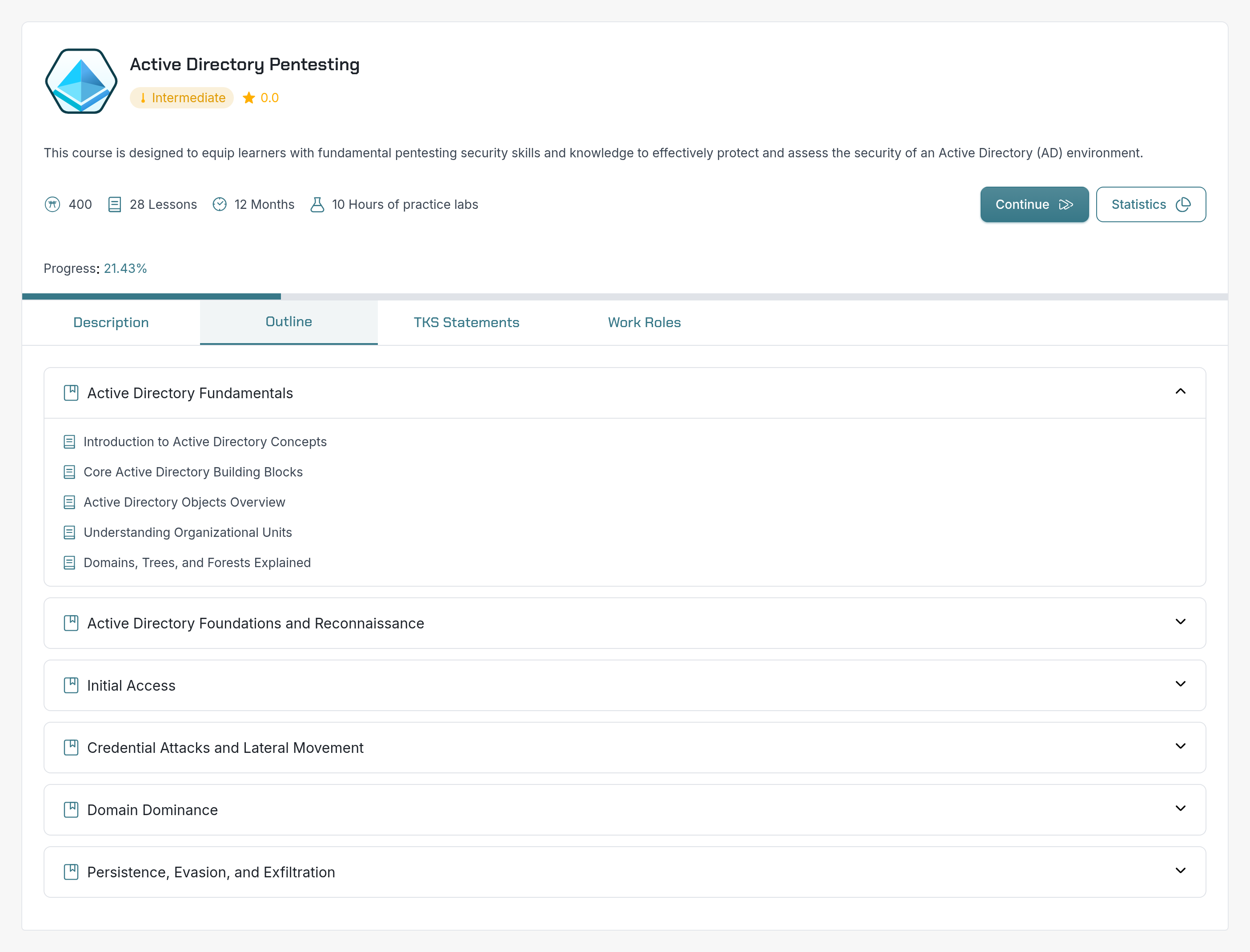
Explore the outline, follow the lessons, and reinforce the subject with quizzes and guided practice.
Give technical teams a structured way to develop their security skills. Connect courses, quizzes, and guided labs through pathways that make the next step clear.
From a single subject to a complete pathway, keep learning connected to the work ahead.
Explore the outline, follow the lessons, and reinforce the subject with quizzes and guided practice.
Bring related courses together for roles such as SOC Analyst and AppSec Specialist.
Build your curriculum with the AI-powered pathway builder: describe the goal, review suggested courses and labs, and organize the sequence.
From lesson to lab
Lessons explain the concepts with text and diagrams. Guided labs give learners dedicated infrastructure to apply them, with prepared Kali or Windows workstations and the tools for the exercise.
The course library
Start with Cybersecurity 101, practice a corporate assessment in Pentest 100, or explore Active Directory and ICS/OT. Browse the course descriptions, level, and outline to find the right next subject.
A clear learning journey
A pathway connects individual courses into a progression. Use AI-assisted recommendations to choose relevant content, then review and arrange it around your team's objectives. AppSec Specialist brings five courses together, from cybersecurity fundamentals and security champion training to web and desktop application security.
For training managers
Review completed lessons, quiz results, and activity over time. Use the reporting views to support learners and choose the next stage of their training.
See team readiness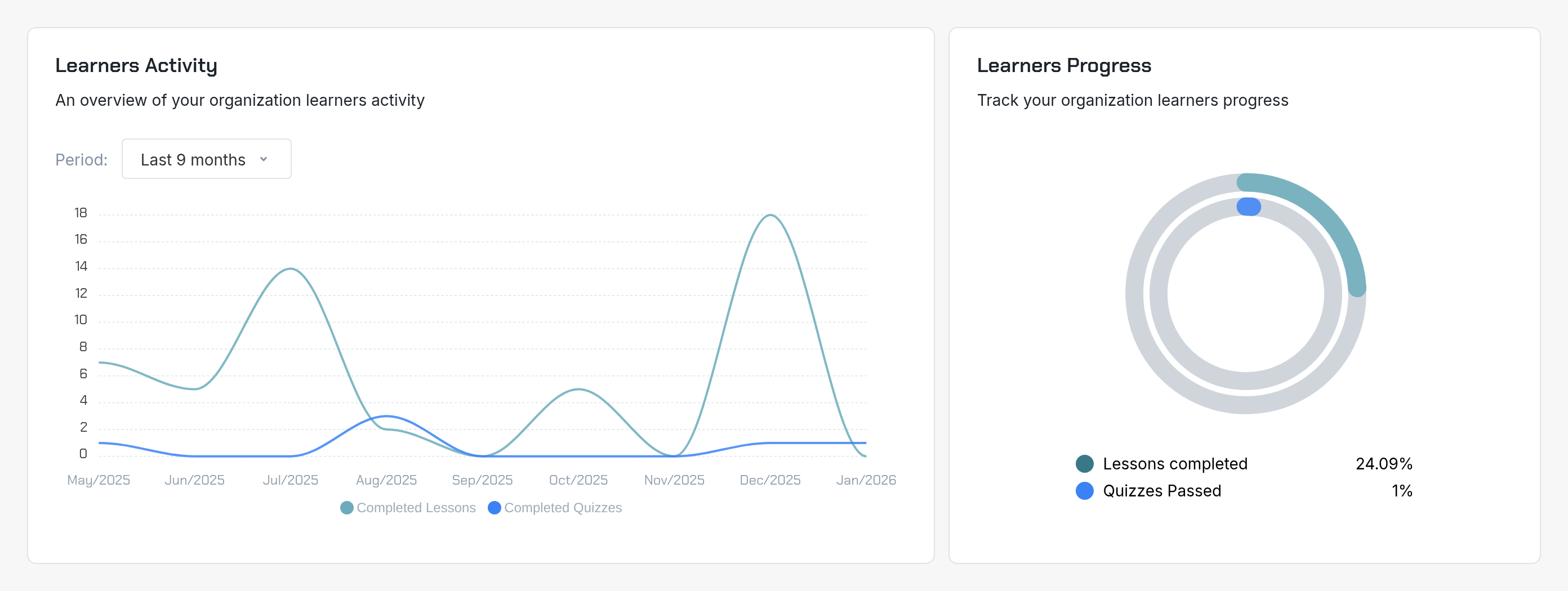
Extend technical development into the systems your organization is adopting. Add practical AI security labs to a curriculum, then use the results and debrief to choose the next assignment.
Explore AI security labsInside the lab
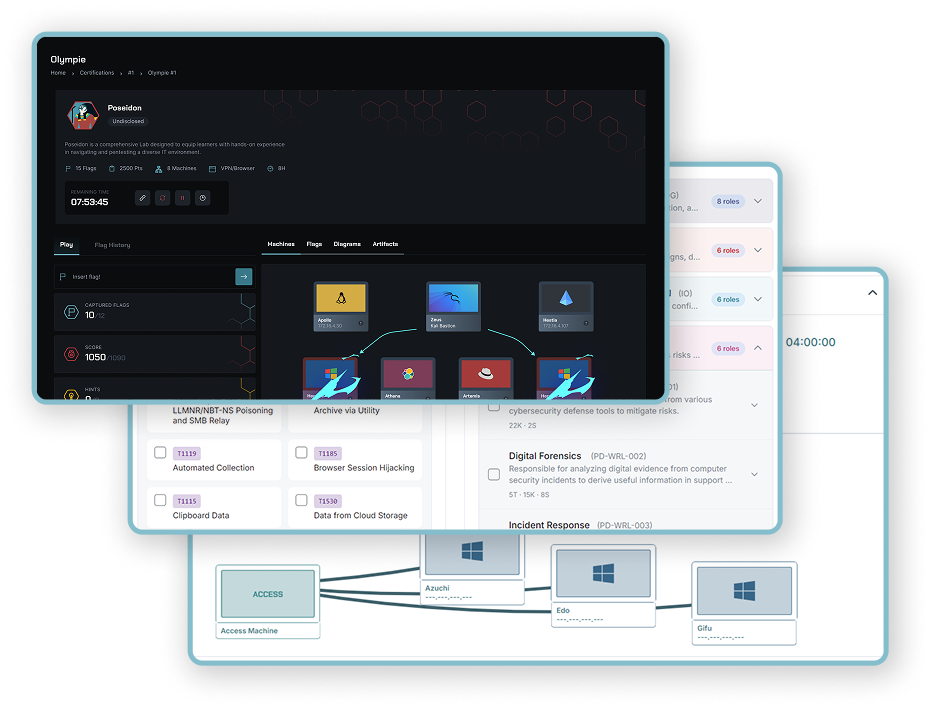
Each lab provisions cloud infrastructure for an individual learner or a team. Connected machines, enterprise services, and security appliances create the setting for the scenario.
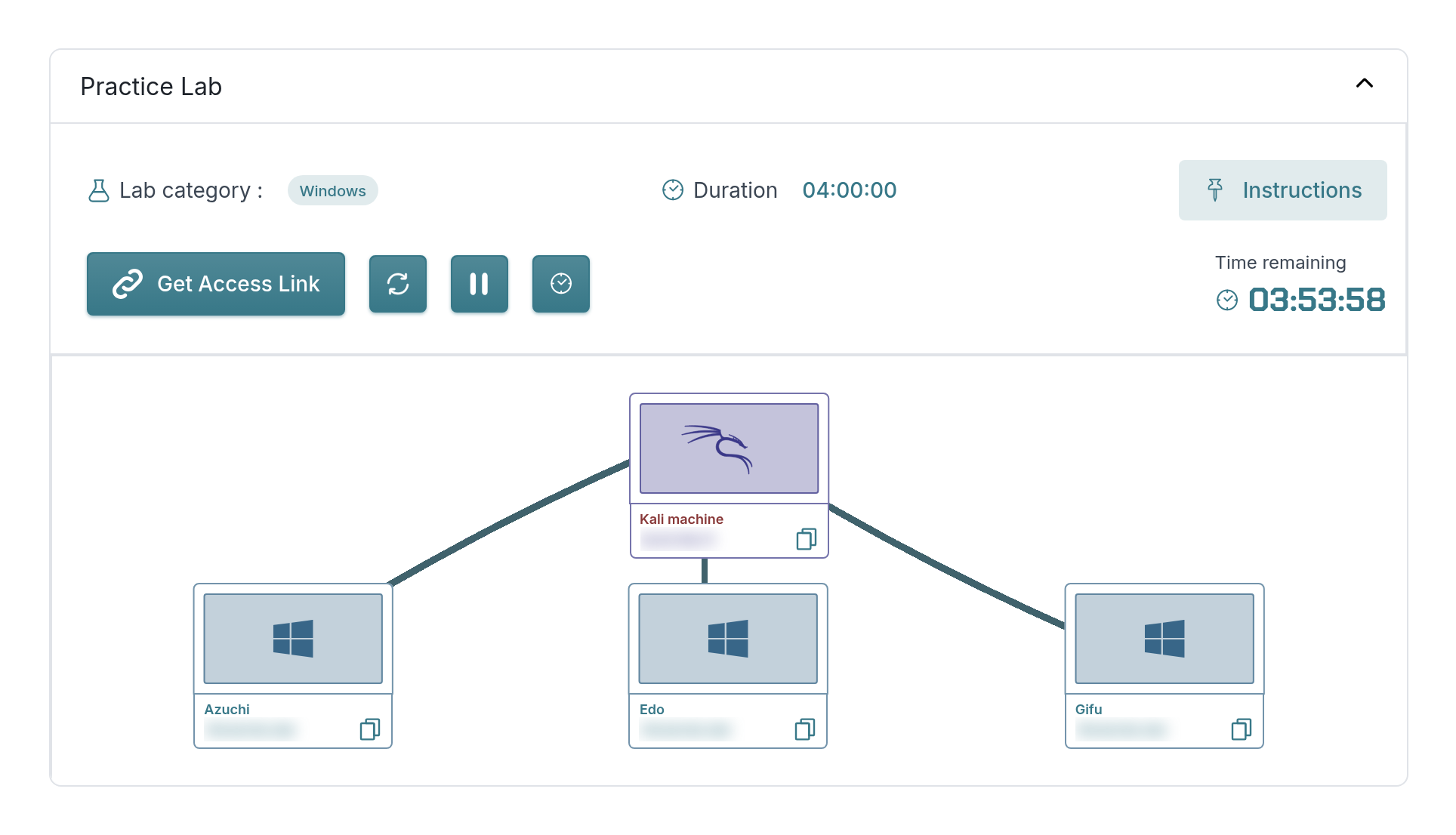
In CyberLearn, launch the environment directly from the lesson. This Active Directory guided lab connects a Kali workstation to three Windows machines, with the instructions alongside your practice.
Your way into the environment
Use a prepared workstation as your bastion into the lab, or connect your own computer. Available modes depend on the scenario.
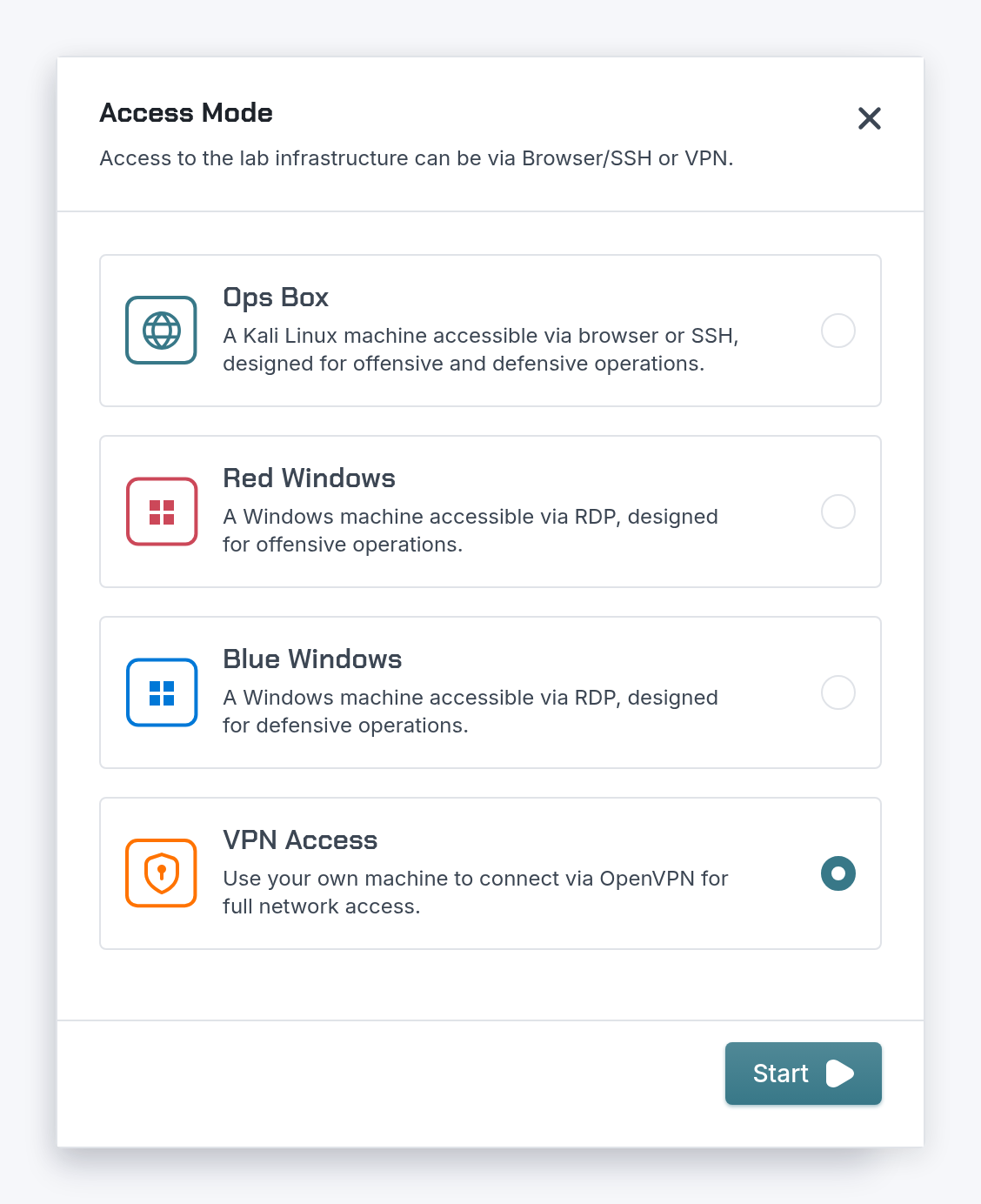
These lab environments support practical work across CyberLab, CyberLearn, CyberEvent, and CyberHiring.

Software Development
“The labs are very well designed and offer realistic situations, close to scenarios that could actually happen. The platform is clear and accessible, and lets you progressively cover several aspects of IT security…”
Benjamin Delahais
Lead Developer
Explore the modules
Support learning, practice, awareness, and hiring across your organization.
Questions about CyberLearn.
Discover how SecDojo builds measurable resilience and operational readiness across your entire organization with hands-on cyber-range training.
Trusted by government, military, finance, and industrial sectors.

























 ICS OT Security
 Pentest 100
 Application Security Champion
 Cybersecurity 101
 Web Security Fundamentals
 Desktop Application Security
 Advanced Web Security