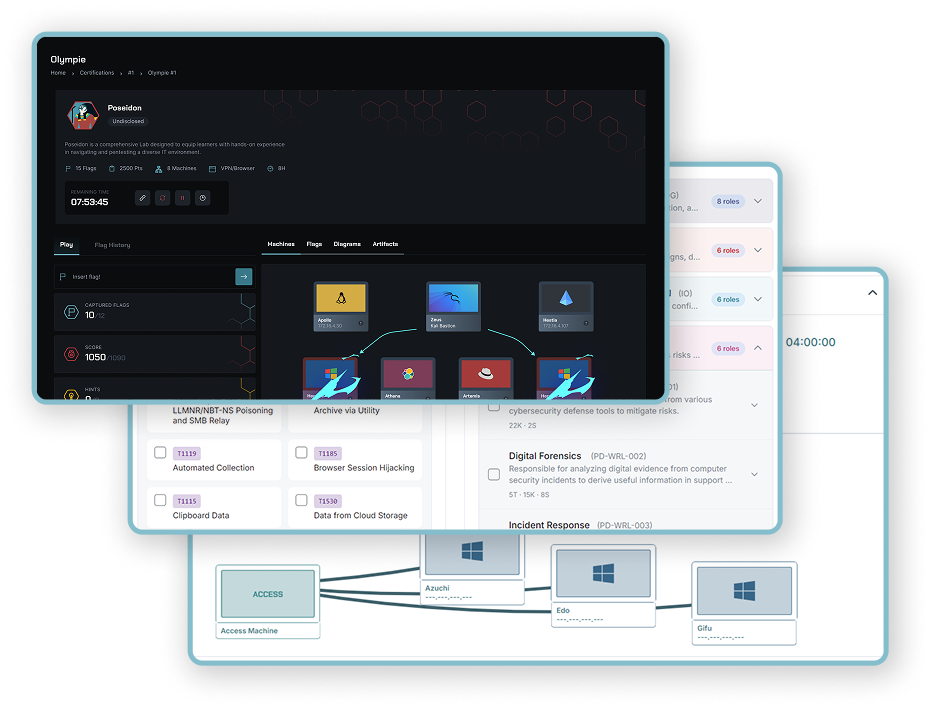
See how candidates handle the work.

Assess technical skills through practical labs. Give candidates a defined challenge, then review their results and written reports to prepare a more informed technical interview.

A practical assessment for the role you're filling.

Choose the exercises, set the conditions, and manage candidate access from one assessment.

01

Build the assessment

Select labs individually or from a pathway. Set the availability window, lab duration, and passing score.

02

Invite candidates

Send email invitations or share an access link. Review access requests and follow who has started.

03

Review the work

Compare results across labs, inspect individual attempts, and read submitted reports alongside the scores.

Trusted by governments and industry leaders

  • Eurafric Information
  • KPMG
  • NITDA
  • Yogosha
  • SYSTRA
  • ENGIE
  • OCP
  • AXA
  • MAP
  • DGI
  • FEC
  • Solocal
  • AUSIM
  • TotalEnergies
  • KIABI
  • ECOWAS
  • Crédit Agricole du Maroc
  • DGSSI
  • Orange
  • 1337
  • Cyber Test Systems
  • Marjane
  • Bourse de Casablanca
  • MTNIMA
Read our customers' stories

Assessment design

Choose exercises that reflect the job.

Select labs by category, type, and difficulty to focus on the skills you need. Give candidates a clear brief and a defined amount of time, with an optional report phase to explain their findings.

  • Lab selection from the catalog or a pathway
  • Separate time for practical work and written reports
  • Configurable passing score and candidate score visibility
Explore the labs
Choose a lab, configure the practical and written-report phases, and prepare candidate access to an assessment.

Candidate review

Bring their work into the interview.

Use the participant breakdown to review scores, completed labs, correct answers, and captured flags. Open an individual attempt for more detail, then use the candidate's report to discuss their reasoning and approach.

  • Individual progress and results for each lab
  • Written reports alongside practical results
  • Candidate bookmarks and Excel exports for your review
Open a candidate's lab results, review the written report, and add a private note to prepare the technical interview.

Inside the lab

An entire environment, dedicated to your session.

Each lab provisions cloud infrastructure for an individual learner or a team. Connected machines, enterprise services, and security appliances create the setting for the scenario.

BlackStone combines seven machines across four networks: domain controllers, Windows workstations, and a web server. Your access workstation provides the entry point to the rest of the infrastructure.
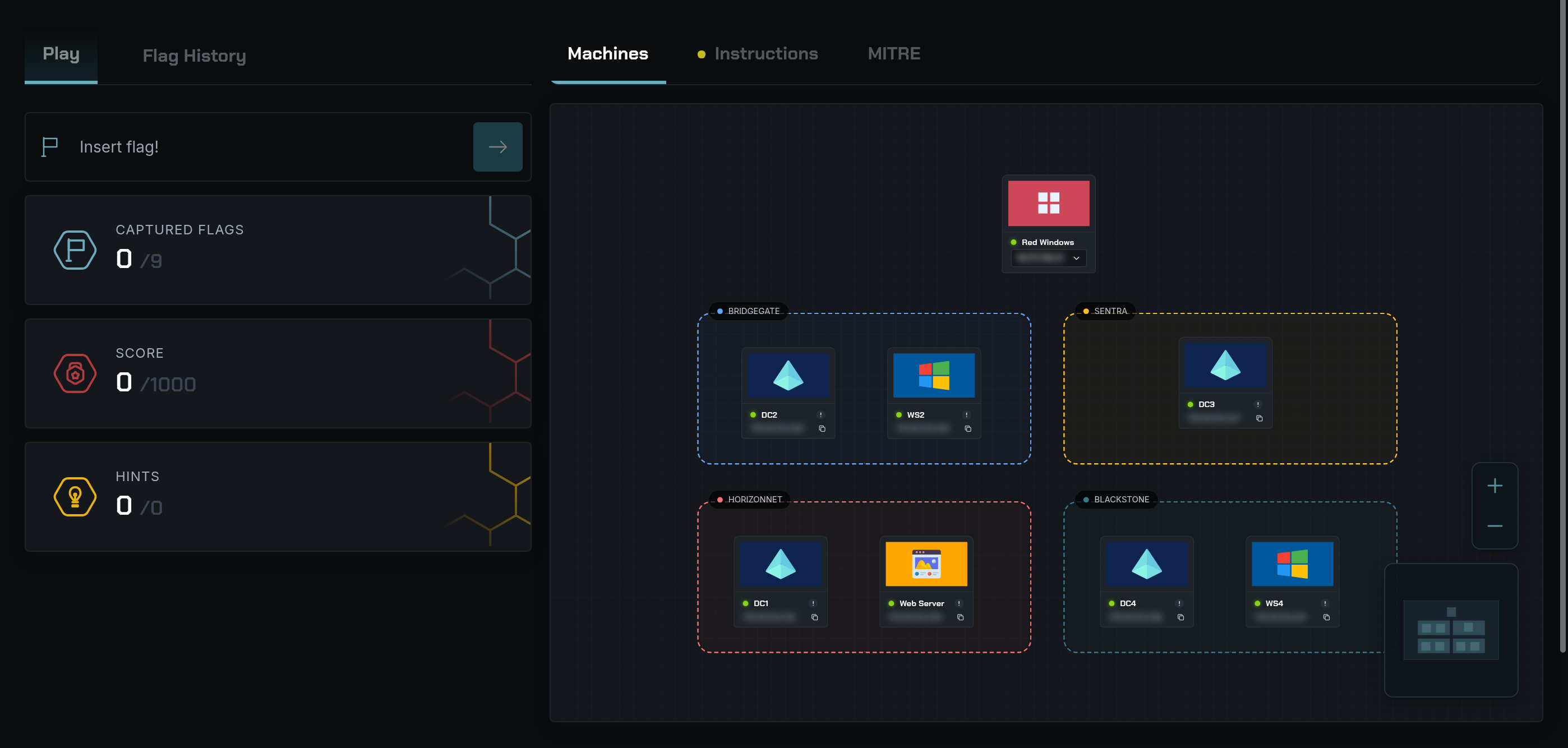
Running BlackStone lab with a Red Windows access workstation, four domain controllers, two Windows workstations, and a web server, grouped across four networks.

Your way into the environment

Choose how you connect.

Use a prepared workstation as your bastion into the lab, or connect your own computer. Available modes depend on the scenario.
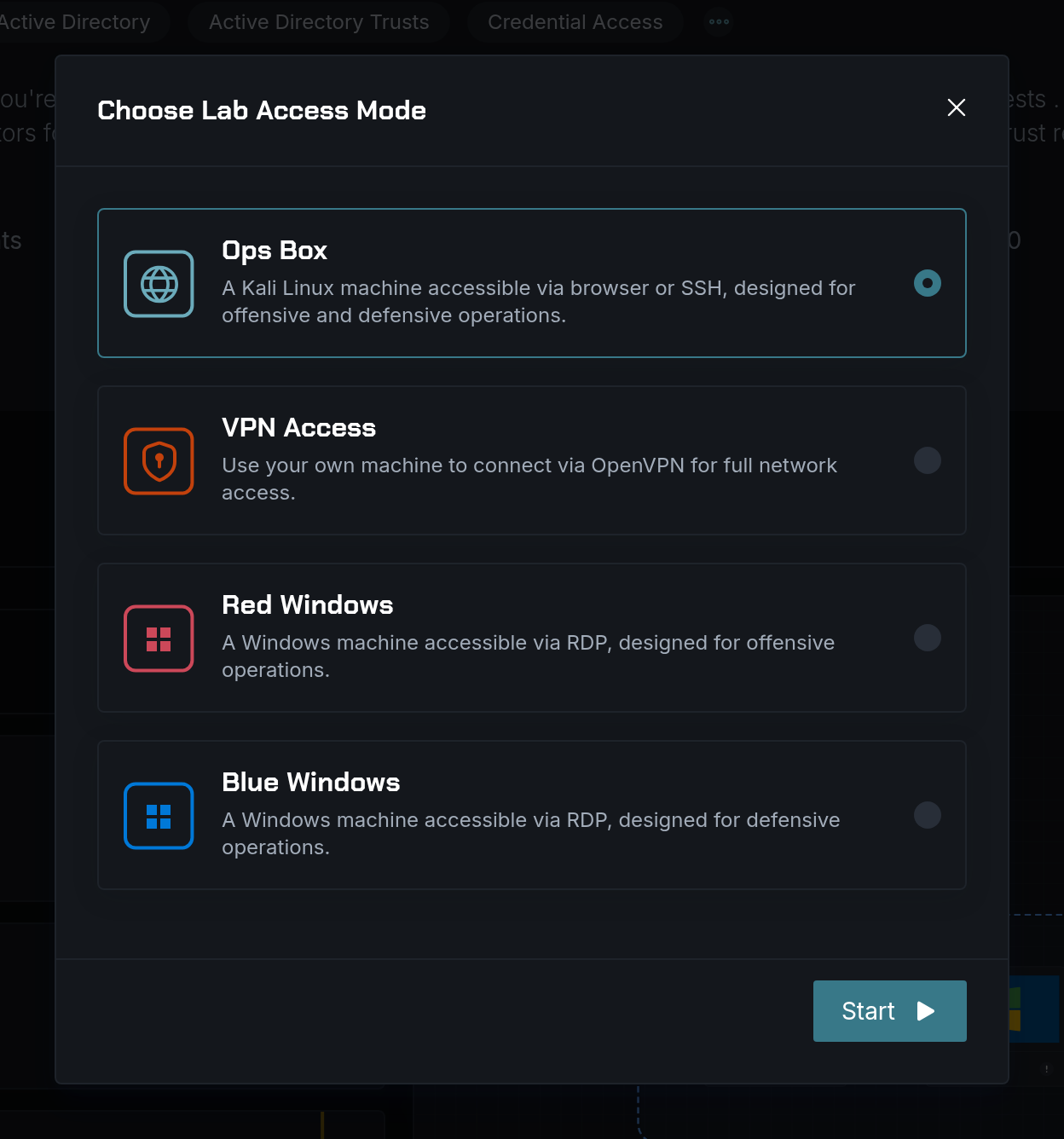
In your browser
Open a prepared Kali Linux workstation through noVNC. Work directly in the browser with the tools for the exercise already available.
From your laptop
Connect over VPN and work from your own machine, with your familiar tools and local setup.
Red Windows
Use a Windows workstation with Commando VM over RDP for offensive security practice.
Blue Windows
Use a Windows workstation with FlareVM over RDP for defensive investigations and malware analysis.
SecDojo lab access choices: Ops Box with Kali Linux, VPN access, Red Windows, and Blue Windows.

These lab environments support practical work across CyberLab, CyberLearn, CyberEvent, and CyberHiring.

Frequently Asked Questions

Questions about CyberHiring.

Choose labs individually or from a pathway, then define the availability window, lab duration, and passing score. Select exercises that reflect the practical work of the role.

Invite candidates by email or share an assessment access link. You can review access requests and follow who has started the assessment.

Yes. You can include a report phase alongside the practical exercise. Review submitted reports with scores, completed labs, and individual attempts to prepare the technical interview.

Labs support browser access through a prepared Kali Linux workstation, VPN access from your own laptop, and Windows access workstations over RDP. Red Windows uses Commando VM. Blue Windows uses FlareVM. These workstations provide the tools and access to the rest of the lab infrastructure.

Build Enterprise Cyber Resilience at Scale

Discover how SecDojo builds measurable resilience and operational readiness across your entire organization with hands-on cyber-range training.

Comprehensive platform demonstration with mission-critical scenarios
Technical assessment and organizational readiness planning
Training program deployment strategy and integration consulting

Trusted by government, military, finance, and industrial sectors.